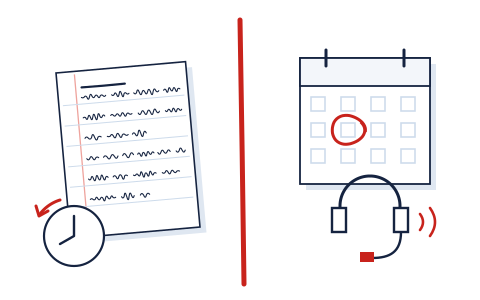
Two software categories share the word "noise" and solve opposite problems. An AI audio enhancer repairs a recording that already exists — it works on files, after the fact. Noise cancellation software cleans a conversation while it is happening — it works on streams, in real time, before the other side hears you. Buy across that line and you own the right tool for the wrong tense.
The tense test
Ask one question: does the audio I want to fix already exist?
- Yes — it is a file. A podcast track, a lecture capture, an interview, a voice memo. You want an enhancer, and our graded board of six is the shopping list.
- No — it will happen tomorrow at 10:00. A client call, a stand-up, an interview you are conducting over a meeting app. You want real-time suppression, and no enhancer on our board will be in the room with you.
The confusion is understandable because the marketing vocabulary overlaps completely — "crystal clear voice," "remove background noise," "AI-powered." The physics do not overlap at all.
Why one tool cannot do both jobs well
An enhancer works offline with the luxury of time: it can look at the whole file, ahead and behind, process in multiple passes internally, and take seconds per minute of audio. That look-ahead is precisely what real-time processing can never have — a live suppressor gets a few milliseconds of buffer, must decide now what is voice, and must do it without adding the latency that makes conversation unbearable. They are different engineering problems that happen to share adjectives, which is why the categories stubbornly refuse to merge, and why we grade one and merely point at the other.
| AI audio enhancer | Noise cancellation software | |
|---|---|---|
| Works on | Files that already exist | Live audio streams |
| When it acts | After recording (post-production) | During the call (real time) |
| Fixes | Noise, reverb, levels, loudness — in yesterday's audio | Dog, doorbell, cafe — before the other side hears it |
| Cannot fix | Tomorrow's meeting | Yesterday's recording |
| Both directions? | No — your files only | The good ones clean inbound audio too (their noise, your ears) |
| Typical pricing | Per processed hour or credits (Auphonic from ~$2.40/h; free tiers common) | Per-seat subscription (Krisp: 7-day free trial, Core $8/user/mo billed annually, $16 monthly) |
| Our coverage | Graded — six marked papers | Not graded here; one standing pick, disclosed below |
The recurring trap: enhancing the same meeting every week
The pattern that made us write this page: someone records weekly calls, and every week pays an enhancer (in money or minutes) to strip the same keyboard clatter and street noise from the capture. Enhancers can do that — and doing it weekly is buying an umbrella one raindrop at a time. If noise reliably contaminates your calls at the source, the economical fix runs during the call, once, for everyone on it. Repair is for accidents; prevention is for patterns.
The inverse trap exists too, and fairness requires naming it: real-time suppression does nothing for the archive of rough recordings on your disk, and adds nothing to produced work like narration or course audio — a suppressor's job ends when the call does. People who mainly make recordings should spend on the enhancer side of the line and skip the subscription entirely.
Our one pick on the far side of the line
ClarityGrade grades enhancers; we keep exactly one recommendation in the live-call category, and we keep it out of the graded cohort on purpose (grading what we monetize differently would deserve its own red ink — method notes here).