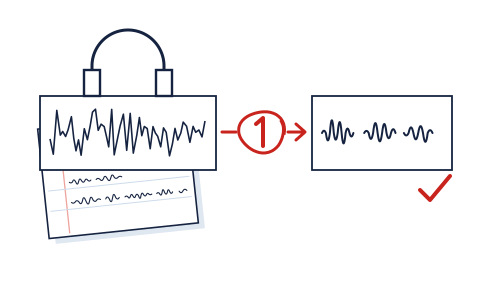
Every enhancer we grade can improve a mediocre recording, and every one of them can ruin a decent one. The difference is rarely the tool — it is the order of operations. This is the method we would staple to the front of the category if we could: seven steps, three honest exit ramps, and the artifact checklist that tells you when to stop.
Step 1: Listen once, all the way, before touching anything
Not skimming — listening, ideally on the headphones your audience will not have and the phone speaker they will. Write down what is actually wrong in plain words: "hum throughout," "room echo," "levels jump when she leans back," "music bed under minutes 3–7." An enhancer applied to an undiagnosed file is a coin flip; the same enhancer applied to a named problem is a decision. You will also catch the happy surprise this step regularly produces: many recordings that "sound bad" carry one fixable problem and are otherwise fine.
Step 2: Fix the boring things first
Trim the dead air at the ends. Cut the false starts. If your recording has a minute of chair-shuffling before the speaking starts, do not pay an AI to denoise it — delete it. Metered tools (Auphonic bills by duration with a 3-minute minimum per file; ElevenLabs burns 1,000 credits per minute) charge the same for silence as for speech, so basic editing is literally money.
Step 3: Match the tool to the named problem
- Steady noise (hum, hiss, traffic) under otherwise good speech: a one-shot isolator is fine — this is the case they were built for.
- Uneven levels, room tone, "not broadcast-ish": a processing service with a leveler and loudness targets — this is Auphonic's lane, and no isolator will finish the job.
- Music bed baked under the voice: separation heritage matters — LALAL.AI before anything else.
- Clicks, plosives, clipping, one cough over a key word: surgery, not enhancement — RX territory, or the honest exit ramp in step 7.
- All of the above at once: lower your ambitions now, not after four processing passes. Layered damage is where "AI magic" produces underwater voices.
Step 4: Keep an untouched original, always
Copy the raw file somewhere the tools cannot reach before the first upload. Every enhancer on our board is destructive in effect — even the web ones, the moment you overwrite your only copy with their output. The five seconds this step takes has rescued more projects than any algorithm we have graded.
Step 5: One pass, at the gentlest setting that solves the named problem
The single most common way readers wreck recordings: running output back through for "a little more." Enhancement artifacts compound — each pass re-decides what counts as voice, and each decision shaves texture. If the tool has a strength control (the reason our rubric pays so much for one), start low and move up. If it has no dial and one pass did not solve the problem, the answer is a different tool or a re-record — never a second pass of the same guess.
Step 6: The artifact checklist
Compare against your untouched original — the whole file if short, the loudest and quietest minutes if long — and listen specifically for:
- The underwater voice: vowels gone hollow, consonants slushy. The model took voice frequencies with the noise. Back off or switch tools.
- Breathing that vanished: inhales read as noise; their absence reads as android. Especially audible in narration.
- The gasping room: silence between phrases now absolutely silent, so each phrase seems to switch on. A little steady room tone is what human ears call natural.
- Sibilance shaved into a lisp: s-sounds dulled by aggressive high-frequency cleanup.
- Pumping levels: a leveler chasing a noisy floor up and down. Denoise before leveling — order matters, and it is the order services like Auphonic apply internally.
Any two of those, and your enhanced file is worse than your problem was. That is not failure; that is the checklist working. Restore the original and take the other branch.
Step 7: Know the three exit ramps
- Ship the flaw. Audiences forgive honest room sound vastly more than processing sheen. A slightly roomy recording of a good conversation is a good recording.
- Re-record. If the take is re-creatable, thirty minutes with a blanket fort beats three hours of tool roulette — and beats every price on our board.
- Pay for surgery once. If the take is irreplaceable and damaged, that is precisely the case for RX Elements at $99 — or for accepting the C+ tools' best guess and shipping it.
The free-tier drill, in order: run your file through Auphonic's free 2 monthly hours (jingle attached, decisions visible — no affiliate relationship, we just rate it highest). If the problem is pure noise, compare ElevenLabs' free ~10 minutes. Under music? LALAL.AI's 10 preview minutes. Total spend: $0, and you will know which paid tier, if any, your recording actually justifies.
And if this keeps happening on calls…
A recurring theme in our inbox: the "recording" that needs enhancing every week is a meeting capture. Stop repairing those after the fact — that is a live-call noise problem, a different category with a different answer, covered plainly in enhancer vs noise cancellation.
The graded tools this method feeds: best AI voice enhancer 2026 · The rubric behind the strength-dial obsession: how we grade.